From Canadian bank CSV to a tidy budget
No bank passwords. No screen scraping. Export CSV the way your institution already supports—then map, preview, and import.
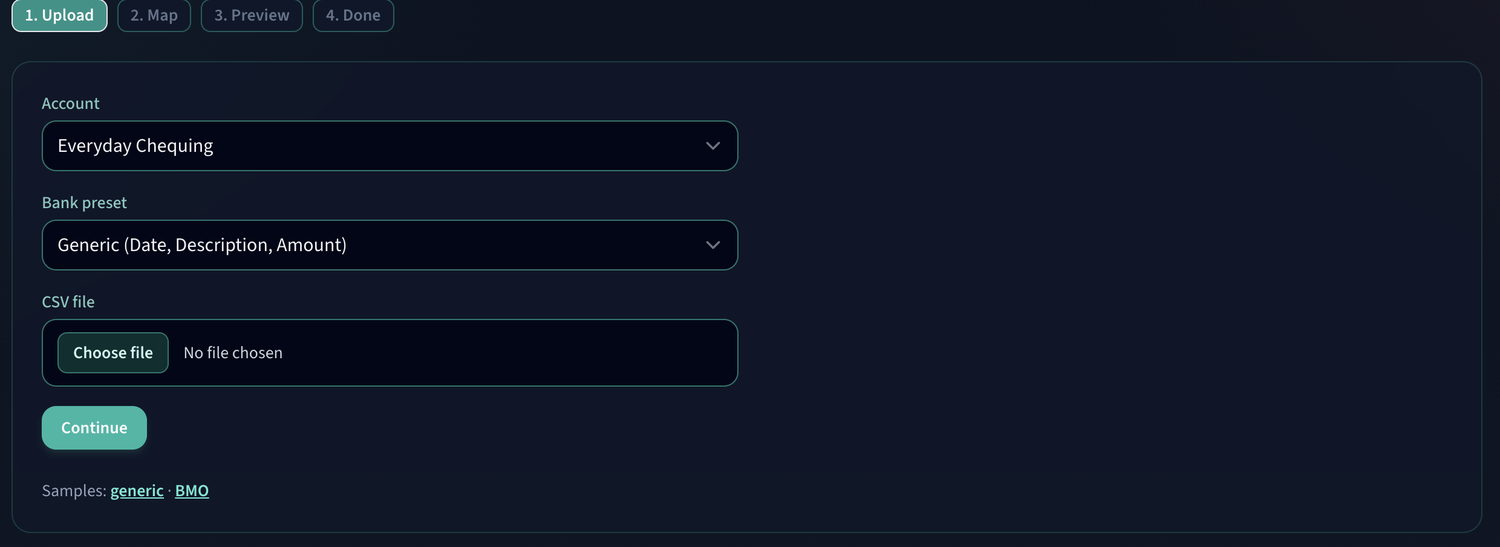
-
01
Upload
Choose the account and a bank preset—or Generic Date / Description / Amount.
-
02
Map
Confirm columns. Flip signed amounts when your bank’s convention does not match.
-
03
Preview
Scan rows, catch duplicates, and spot anything that still needs a category.
-
04
Done
Import into your ledger. Budgets and reports update with the new activity.
Built for Canadian exports
Presets and flexible mapping cover common formats. If your credit union exports Date, Description, and Amount—you are already set.
- TD
- BMO
- RBC
- Scotiabank
- CIBC
- Credit unions
- Generic CSV
Import your first statement
Create a free account, add an account, and walk the wizard with a real CSV.